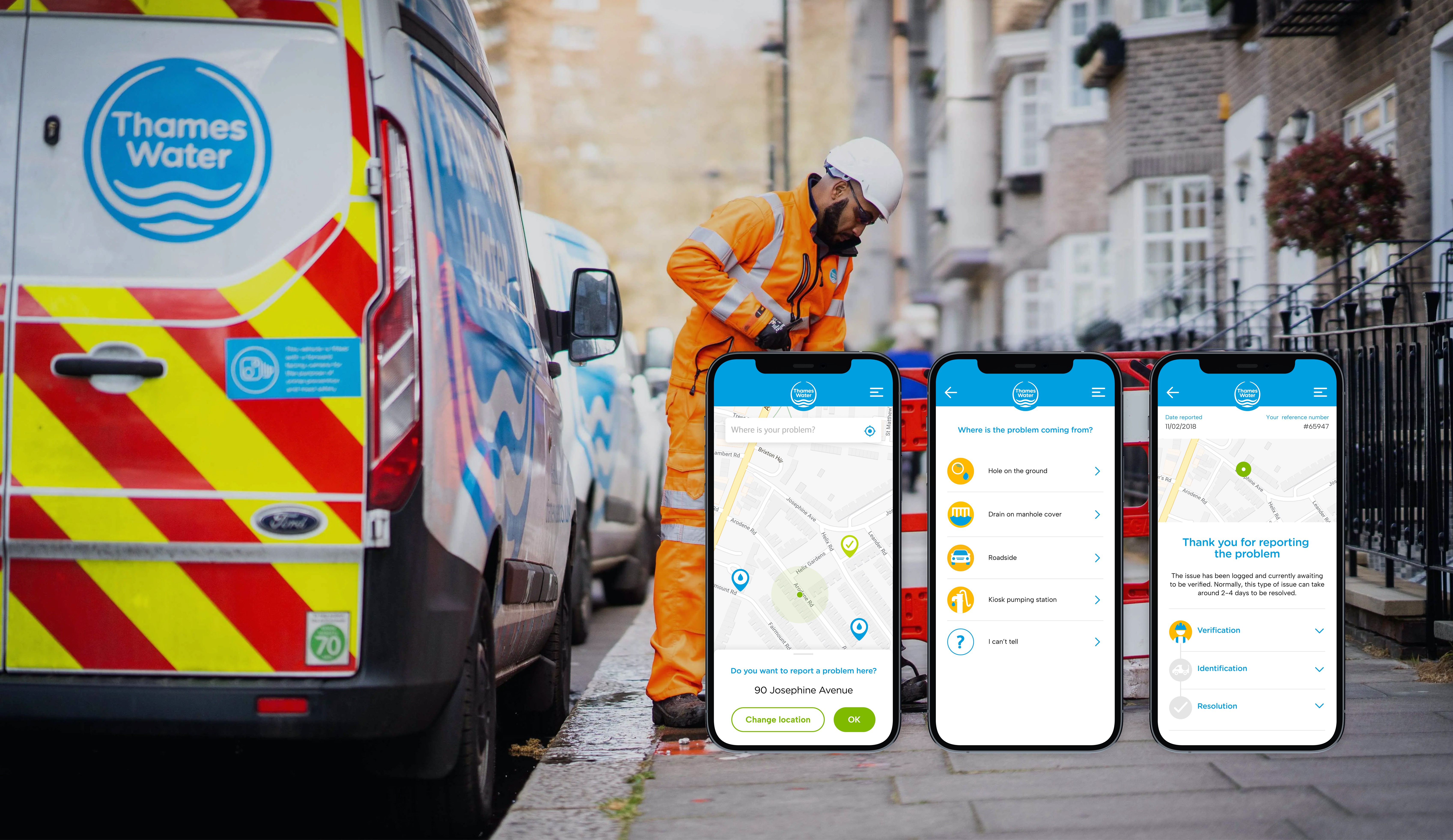
Thames Water stands as the largest water and wastewater service company in the UK, serving over 15 million customers across London and the South East.
The existing “Report a Problem” journey was fragmented across channels, with unclear terminology and inconsistent confirmation messages. Users often struggled to identify the right issue type and understand what would happen next, resulting in incomplete submissions and unnecessary customer-service calls.
The goal was to create a simpler and more transparent reporting experience that worked seamlessly across devices and reduced user confusion.
Role:
Senior UX Designer
Team:
Product Owner, Project Manager, UX Designer, Lead Designer, Senior Designer, Analyst
Collaboration:
Thames Water stakeholders and a third-party development agency
Methods:
User Interviews, Card Sorting, Tree Testing, Google Design Sprint
I was responsible for leading the research and structural design of the new experience.
My work focused on:
Understanding user behaviours and pain points through interviews
Redefining the information structure and problem taxonomy
Mapping customer journeys and interaction flows
Designing wireframes for desktop and mobile
Supporting design sprints and validating prototypes with users
We conducted 10 user interviews with customers who had recently reported issues such as leaks, flooding or water-quality problems.
Insights revealed that users were confused by overlapping categories and unclear confirmation steps. Using a Google Design Sprint framework, we moved rapidly from insights to prototypes, iterating through testing rounds to validate the new structure.
User Journey Map
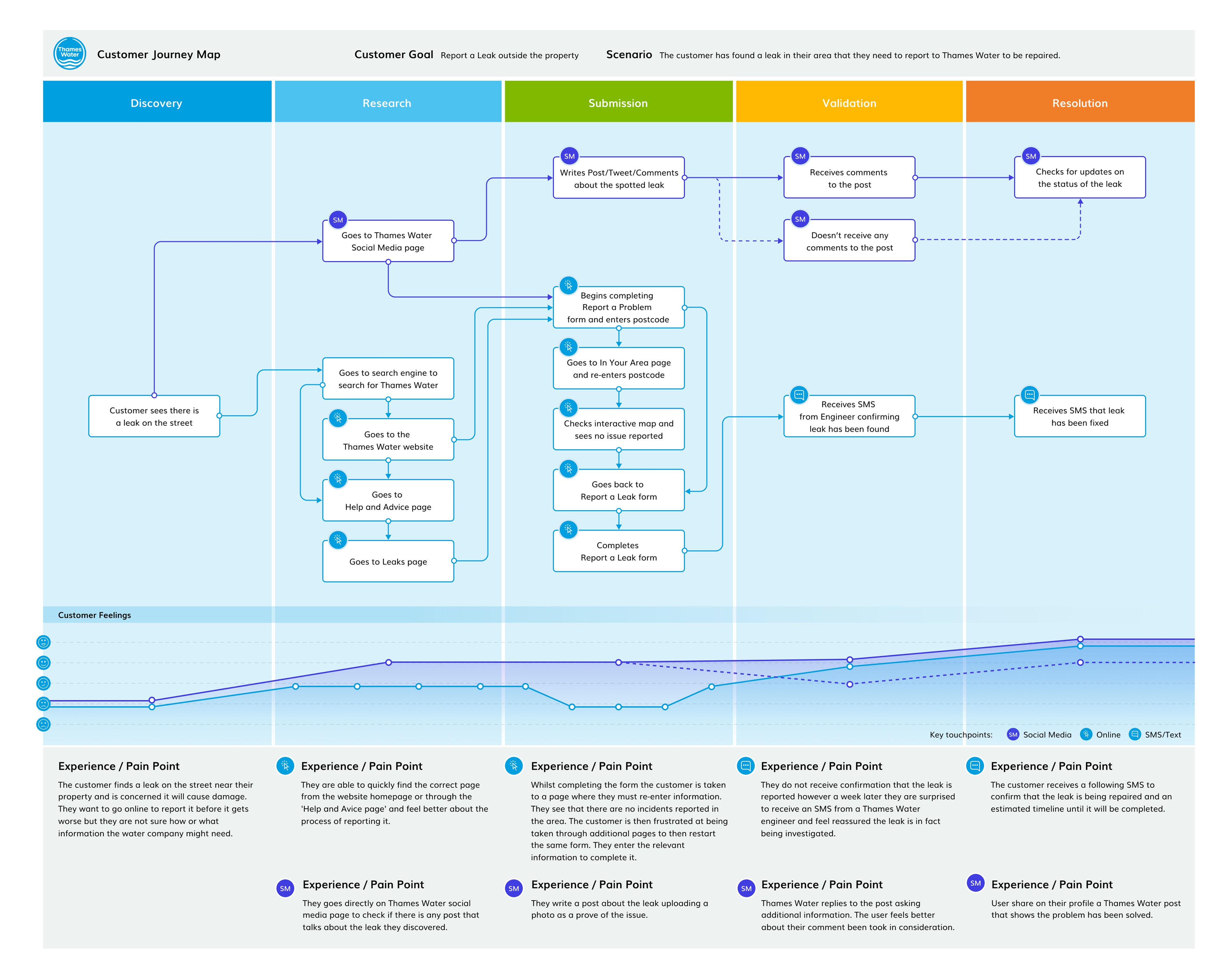
Mapping user expectations and emotions across the reporting experience.
The journey map revealed where user trust and clarity dropped, guiding the team to focus on terminology, confirmation feedback and communication tone.
Wireflow
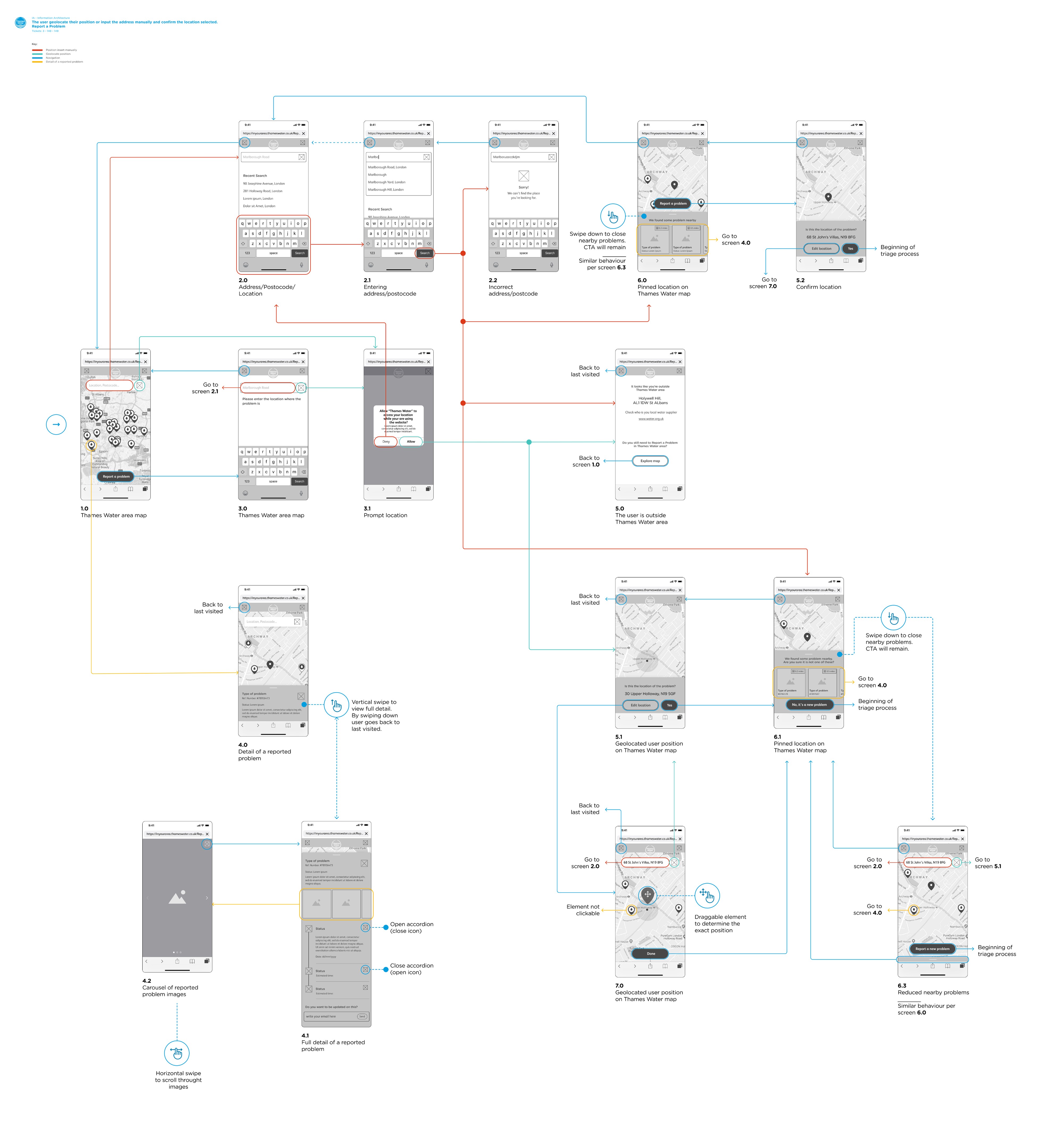
Visualising how users report a problem by pinpointing or entering their location.
This wireflow illustrates one of the key reporting scenarios, where users either geolocate their position or manually enter an address before confirming the selected location. It shows how the flow supports flexible input methods and ensures accuracy early in the reporting process, forming the foundation for subsequent issue-selection steps.
Wireframes
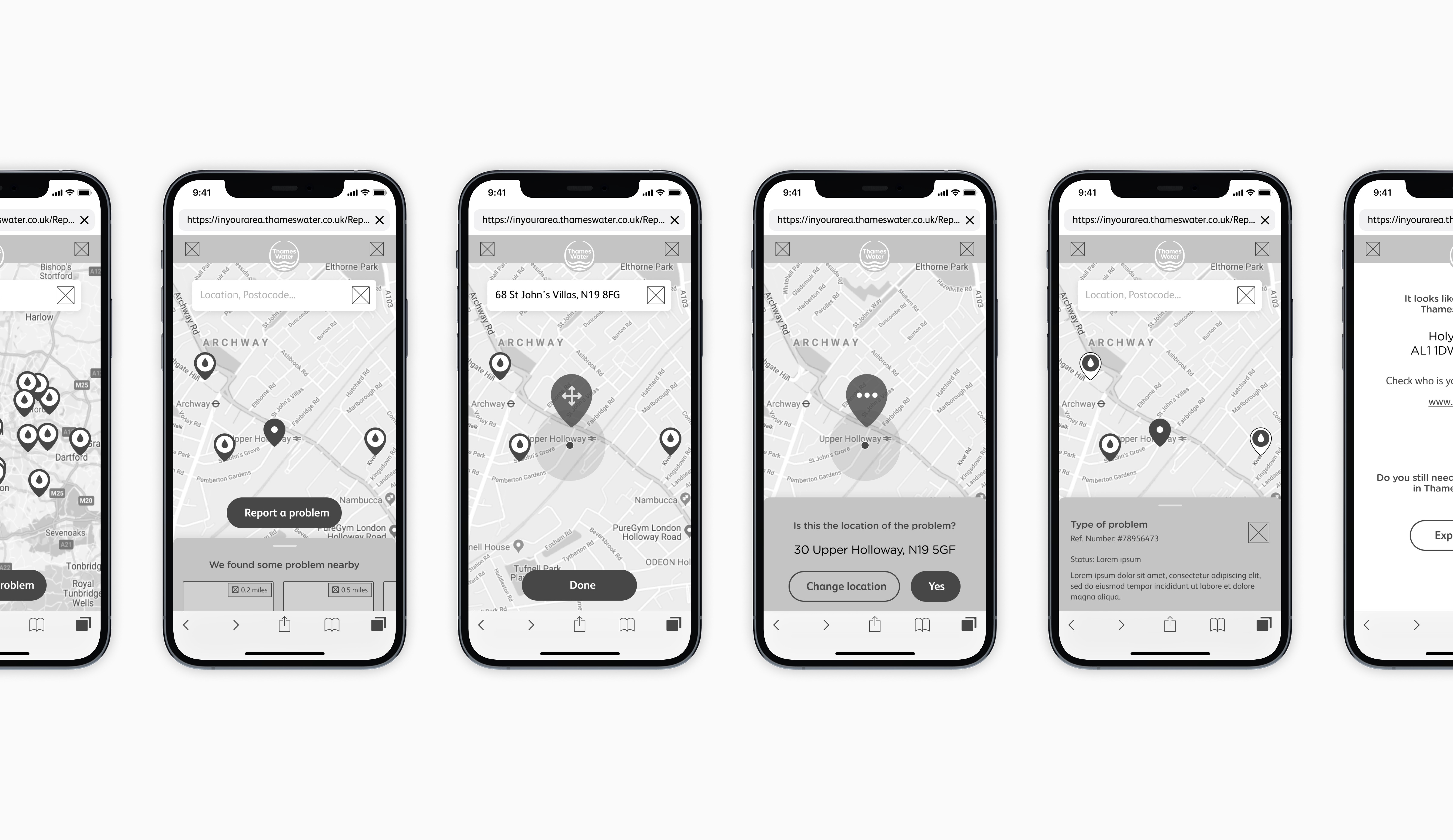
Translating research insights into testable prototypes.
Low- and mid-fidelity wireframes helped validate user comprehension, while design sprints enabled rapid collaboration with stakeholders and developers.
Mobile UI Screens

Final interface for mobile.
The redesigned interface uses simple iconography, colour-coded categories and clear progress indicators to make reporting intuitive and reassuring.
The new experience provided a clearer and more consistent flow, reducing user confusion and strengthening trust through better feedback loops.
It also gave Thames Water a validated UX framework for future self-service initiatives and helped align design, engineering and customer-service teams around a shared user-centred model.